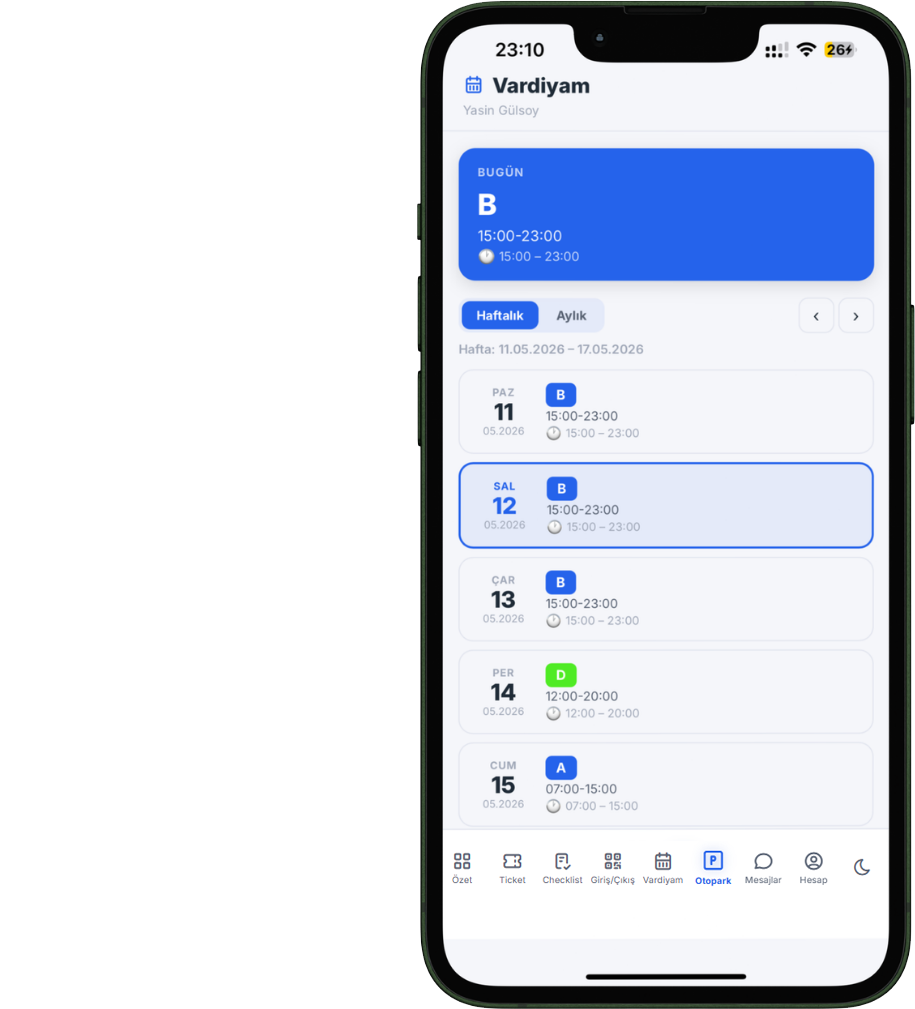
QR attendance, leave request & approval workflow, timesheet, shift planning, and staff reporting — the entire hotel HR operation in one system. No more paper forms, manual calculations, or lost records.
From attendance to timesheets, from leave to shifts — every step of hotel HR operations in one system, all working together.
Staff scan the QR code at the start and end of their shift to log check-in/out. The system timestamps automatically — no manual intervention required.
Staff submit leave requests through the system. A supervisor or admin approves or rejects them. Approved leaves are automatically reflected in the timesheet and calendar.
Monthly working hours, overtime, and leave days are automatically calculated from QR attendance data. Excel-like view for easy accounting export.
Create weekly and monthly shift schedules by department. Define shift types (A, B, Night, Off…) with color codes and assign them to staff.
Staff can view their own shifts and request changes or day swaps. Transparent management with a supervisor approval workflow.
View all HR events in one calendar. Approved leaves, shifts, and important dates are tracked in a unified calendar view.
Staff scan the QR code on the terminal screen with their phone to check in or out. Date-time stamps are applied automatically and the attendance list updates instantly.
Staff submit leave requests through the system; managers approve or reject with one click. Approved leave automatically flows into the timesheet and calendar.
The timesheet, fed by QR attendance records, automatically calculates each staff member's monthly working hours, overtime, and leave days.
Define shift types by department, assign them to staff, and let staff see on their phone which shift they're working this week.
Create custom shift types for each department — A, B, Night, Morning, Off, and more. Color code, time range, and order are freely configurable.
Assign daily shifts to each staff member on a grid-based schedule screen. Schedules are created for weekly or monthly periods and can be copied.
When overlapping shifts are assigned to the same staff member, the system alerts you. Scheduling errors are caught before they happen.
Staff can view their current week and monthly shift schedule from the PWA app. No surprises — planning is transparent.
Staff can request shift changes or day swaps. Supervisors approve or reject. Decisions are delivered via push notification.
Each schedule can include break information, general notes, and a manager signature. The official shift schedule is published with manager approval.
Access to HR modules is separated by role. Staff only see their own data; managers monitor the entire department.
From check-in/out times to per-staff overtime analysis, from leave usage to department productivity — all HR data is reportable.
Daily check-in/out records, late arrival durations, missing attendance warnings, and department-level attendance status.
Per-staff working hours, overtime calculation, and deviation analysis against standard hours. Ready summary for accounting.
Department-level leave usage status, approved/rejected requests, and the periods with the highest leave volume.
Individual attendance score, average late arrival time, total working hours, and standard hour compliance. Core data for periodic staff evaluation.
QR attendance, automatic timesheets, leave approval workflows, and shift planning — say goodbye to paper forms, manual calculations, and Excel spreadsheets.