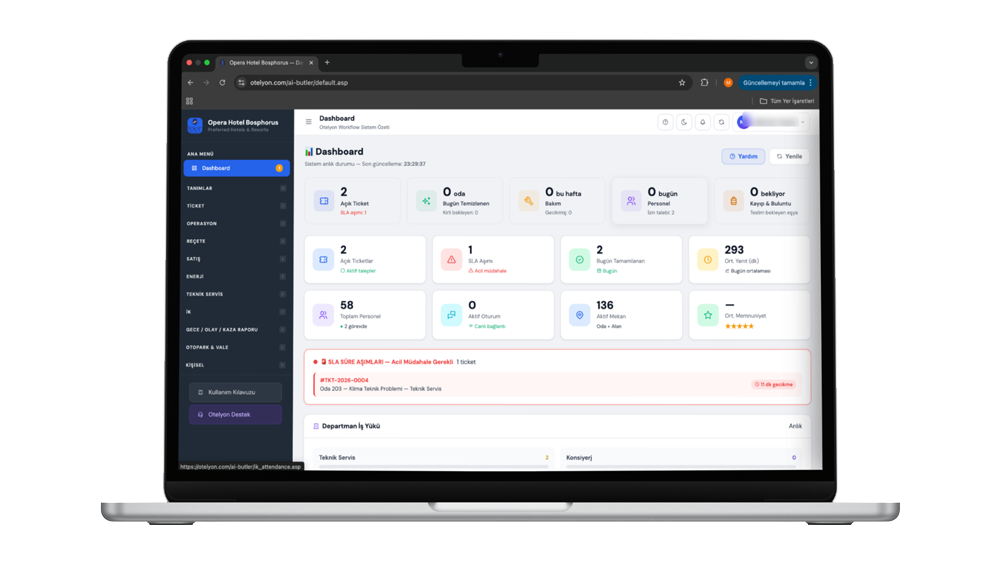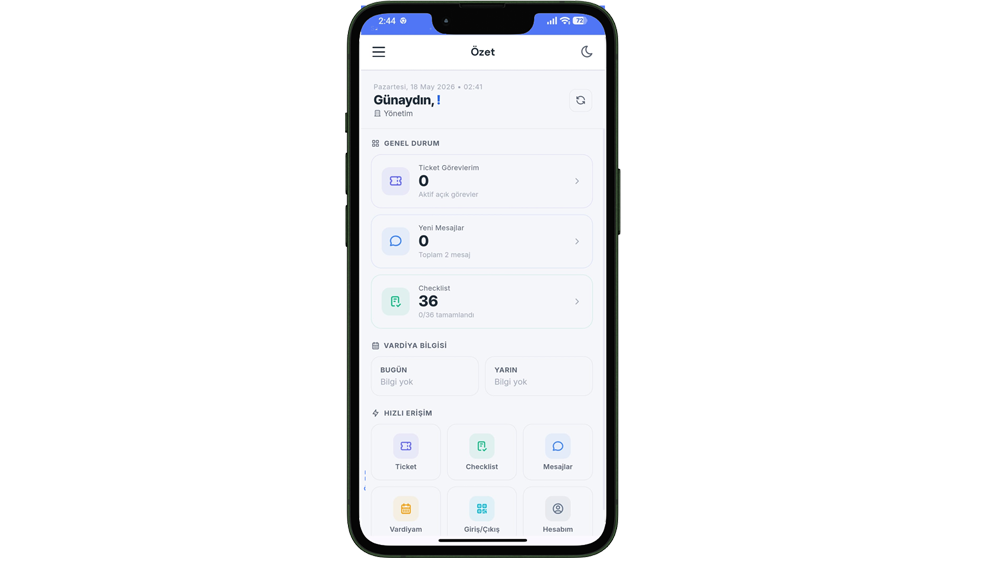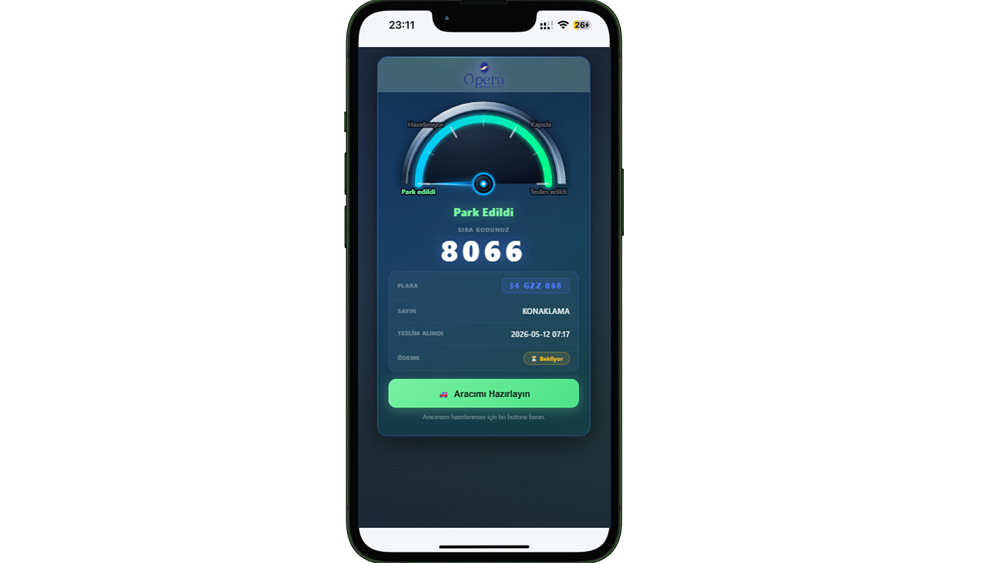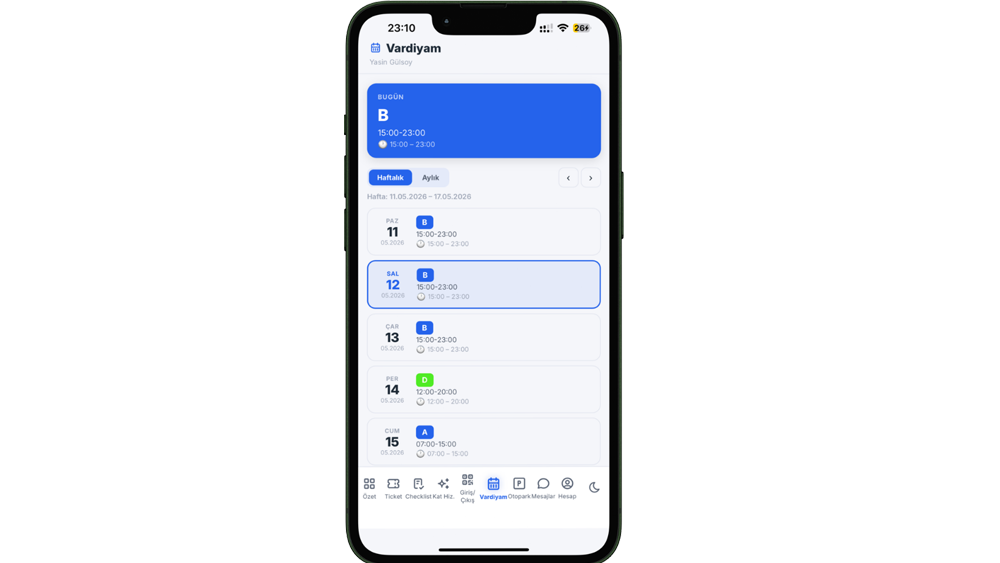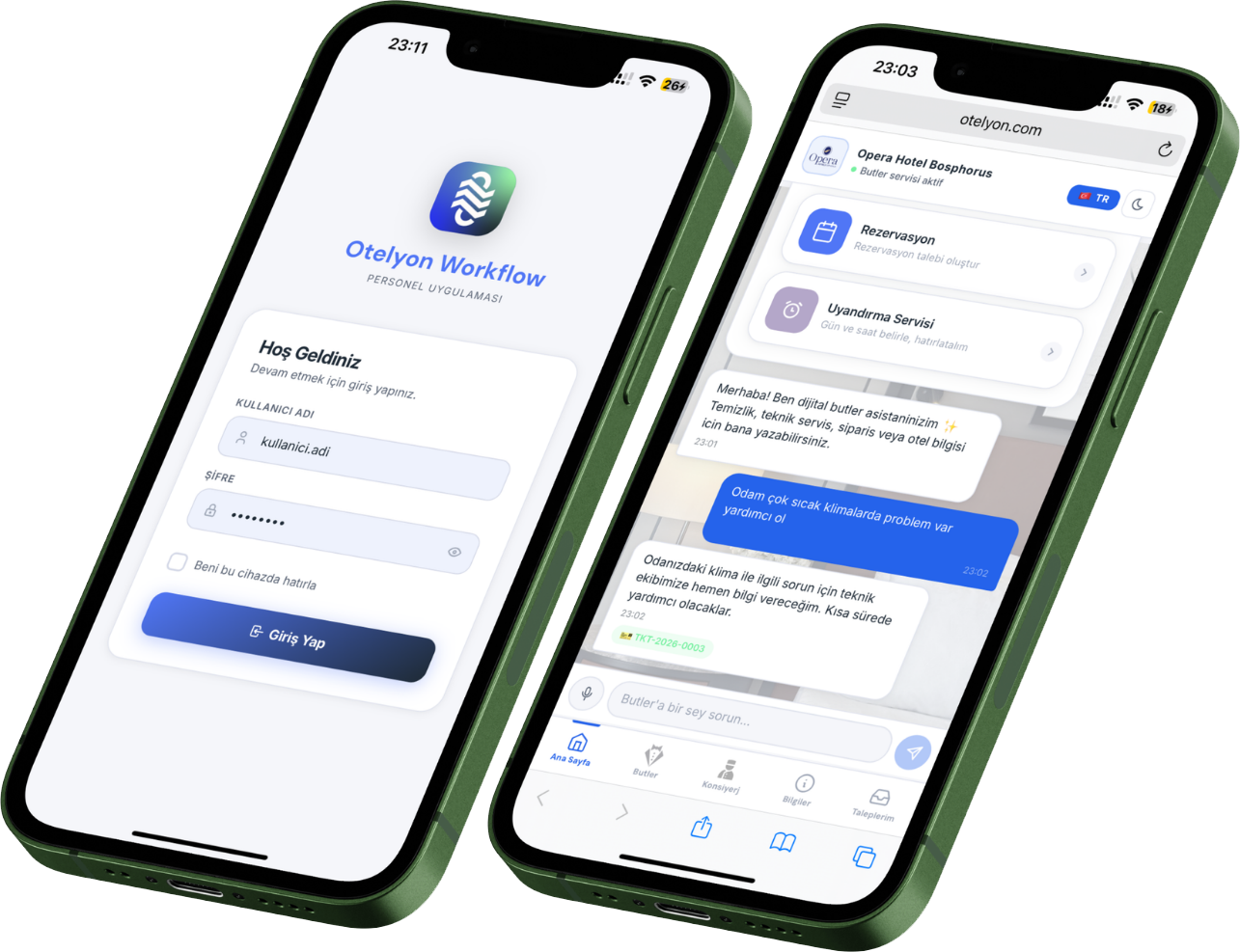
Otelyon 360 digitally manages every department in your hotel, generates reports, and makes decision-making easier.
Our Solutions
5 powerful integrated solutions tailored to every aspect of hotel operations.

01 — AI ConcIerge
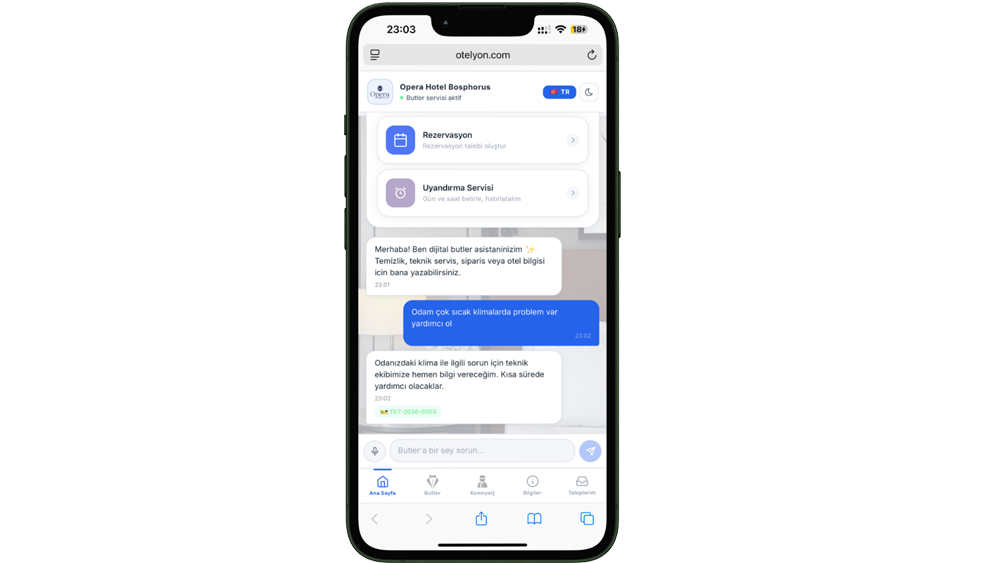
Smart guest experience starting with a QR code. AI categorizes requests, creates tickets, and alerts staff. Guests rate service with 1-5 stars.
Explore Details →
02 — OperatIons
17+ department modules in one system. From housekeeping to energy, valet to HR — all operations managed from a single dashboard.
Explore Details →
03 — Staff PWA
Progressive Web App requiring no App Store. "Add to home screen" and use instantly. Tasks, messages, housekeeping and QR attendance in one app.
Explore Details →
04 — Valet & ParkIng
QR vehicle delivery, real-time status tracking and guest notifications. Credit card payment accepted directly from the guest screen via virtual POS integration.
Explore Details →
05 — Human Resources
QR attendance, leave request & approval workflow, automatic timesheet and shift planning. All hotel HR operations in one system, paperless.
Explore Details →How It Works
Integrating Otelyon into your hotel requires no lengthy setup processes.
We evaluate your hotel's needs together. We identify which modules will provide the most benefit and prepare a tailored offer for you.
We ensure seamless integration with your existing PMS and systems. QR codes are generated, staff training is completed, and the system is ready to use.
Our 24/7 technical support team is by your side. We continuously improve your system with usage reports and AI recommendations.
Why Otelyon?
Stay ahead of your competitors with technology developed specifically for the tourism sector.
Solutions developed exclusively for hotels and resorts. Meets the real needs of the industry.
Works seamlessly with your existing PMS and website. Go live quickly without lengthy setup processes.
On WhatsApp, Instagram, web and more. Be present on every platform where your guests are.
Automatically categorizes requests, guides staff, increases customer satisfaction. Save time.
With Progressive Web App technology, guests and staff use the system without downloading any application.
Track all operations live. SLA metrics, guest ratings and department performance on a single screen.
Your data is hosted in Turkey. KVKK-compliant infrastructure, 24/7 monitoring and automatic backups.
About Us
Otelyon was founded in 2019 to pioneer the digital transformation of the tourism sector. We combine AI and automation technologies with hotel operations to improve guest experience and operational efficiency simultaneously.
Our team brings together software engineering and hospitality expertise to deliver tailored solutions for every client. We are not just a software provider — we are your long-term digital transformation partner.
Work With Us →Pricing
Choose the most suitable package for your hotel's size and needs. Installation and training are included in all packages.
Basic plan + Additional Modules:
Instantly see the estimated price for your hotel
Frequently Asked Questions
Answers prepared by reviewing Otelyon's source code, addressing the questions hotel owners and general managers ask most often.
Otelyon connects all of your hotel's departments (front desk, housekeeping, technical service, laundry, HR, sales, valet) into a single central system. Every request, complaint, fault, or task is automatically converted into a tracked ticket, an instant notification is sent to the relevant department, and the resolution time (SLA) is calculated automatically. The result: no request gets lost, and management can see the status of any job at any time.
No. The system is web-based, and the staff mobile app runs as a PWA (browser-based app) on phones/tablets. Even staff attendance tracking requires no extra turnstile or fingerprint device; it works with existing smartphones and dynamic QR codes.
The system is role-based: roles such as front desk, housekeeping, technical service, HR, sales, department supervisor, hotel manager (admin) and general manager (superadmin) each have separate permissions. Each role only sees the data its department or authority allows, which keeps both security and screens simple.
Each room/area has a unique QR code. When a guest scans it with their phone, they can order room service, request a wake-up call, ask for an extra reservation, send a general message/complaint, and attach a photo — without logging in. The panel works in multiple languages and also supports voice input/output.
No. Every guest request is automatically converted into a ticket for the relevant department, an instant notification is sent to all active staff in that department, and a resolution time (SLA) is automatically assigned. The guest can track the live status of their request ("received / assigned / completed") from their own panel, so there's no need to call the front desk again.
The chat assistant in the guest panel automatically understands the intent of the guest's message, routes it to the right department, and opens a ticket automatically if needed. It also analyzes the emotional tone of the message; when it detects a very negative or critical message, it automatically sends an instant alert email to management — giving a chance to step in before a bad experience grows, the guest leaves, or a negative review is posted.
When the overall score on a guest feedback form drops below a certain threshold (2 or lower, out of 5), the system automatically opens a high-priority ticket with a 30-minute resolution time, without waiting for manual follow-up. This way dissatisfaction never escapes the front desk shift's attention — it immediately reaches the operations team.
Every found item is recorded with its location, description, storage place, photo, and the guest's contact information. When an item is returned, who it was handed to is logged; if disposed of, the disposal date is logged — so the answer to "who did we hand it to, and when" is always ready if an item goes missing.
The incident report module records the type of incident (injury/damage), its status (open/in progress/closed) and its details, then automatically emails the designated managers. This provides a verifiable record for any future legal or insurance process answering "was the incident documented at the time."
All operational requests — housekeeping, technical service, guest requests, valet — flow into a shared ticket system. Every ticket has a tracking number, an assignee, a status, and a complete history (who changed what, and when). Management can see at any moment which stage a job is at and who it's waiting on.
Every ticket has an SLA (resolution time) defined by department. As the deadline approaches (when less than 20% of the remaining time is left), the ticket automatically gets a "warning" badge; once the time is fully up, it's marked "breached." This lets management spot a problem before the guest complains or the job falls behind.
No. When a new task is opened or assigned, an instant push notification (Firebase-based) goes to the staff member's phone. Staff can turn their own notification preferences (task/message/assignment alerts) on or off, so the system is personalized per user.
When a task is opened, the system automatically suggests the relevant standard operating procedure (SOP) by keyword matching. This helps new or inexperienced staff follow the correct steps.
Each room is tracked as dirty / cleaning / clean / inspected / out of service. Transitions are role-restricted: only an inspector can move a room to "inspected" status, which guarantees quality control. Rooms can be assigned a priority score (e.g. a room awaiting early check-in) to manage the housekeeping queue.
Yes. The system automatically timestamps the moment cleaning starts, and calculates the elapsed time when the room moves to "clean" or "inspected" status. This data enables real per-staff performance comparisons — based on measured data, not estimates.
No. A maintenance frequency (in days) is defined for each piece of equipment; once a maintenance task is completed, the system automatically calculates the next due date and opens a follow-up ticket automatically if needed. Photos/documents can be attached to maintenance/repair records — useful for both warranty tracking and audit evidence.
Every batch sent to the laundry (quantity, item type) is recorded, and the returned quantity is entered separately; any difference between sent and returned is shown automatically. On the technical service side, stock quantity is tracked per consumable item with in/out movements logged; the system never lets stock go negative and reports which items are running low.
No. A secure QR code that changes every 30 seconds is displayed on a screen placed at the lobby or staff entrance; staff scan it with their own phone to log their check-in/check-out. It's a low-cost attendance solution that requires no hardware investment.
Staff create a request by selecting the leave type (annual, sick, personal, unpaid) and date range; the total number of days is calculated automatically. The manager approves or rejects with a reason — eliminating paper leave forms and verbal approval processes.
The system combines attendance records with leave data to automatically generate a staff × day timesheet matrix, automatically classifying full days, half days, absences, and weekends. This removes HR's manual Excel preparation workload.
Weekly/monthly shift schedules by department are created through the system, and staff view their own shifts in the app. Staff can request a change/swap for an upcoming shift, and that request goes through their supervisor's approval.
The mobile app includes a gamified "lucky wheel" and a monthly leaderboard; staff earn performance/participation points to spin the wheel, and monthly rewards can be defined for top scorers. This is a concrete tool for boosting employee engagement, especially in the shift-based, high-turnover hospitality industry.
A daily meter reading is entered or bulk-uploaded for each energy type (electricity, gas, water, generator, etc.); the system automatically calculates real daily consumption from the difference with the previous reading. This gives you a daily/weekly early warning instead of waiting for the bill to arrive.
Yes. The system presents a report correlating daily occupancy rate with energy consumption data on the same timeline. This lets management answer "how much does energy cost increase when occupancy is at X%" with data, and make energy-efficiency decisions accordingly.
Every recipe is linked to the quantity and unit price of the ingredients used (including gram/kilogram and milliliter/liter conversions). When an ingredient's price is updated, the portion cost is automatically recalculated — so menu pricing can be based on real cost data instead of guesswork.
The hotel's own customer/lead records are tracked in a sales pipeline by source (web, phone, referral, trade show, social media), stage (new lead → meeting → proposal → won/lost), and estimated deal value. The sales team logs meeting/call records, and the system automatically calculates the win rate.
Campaigns can be created by defining a target customer segment; promo codes are set up as percentage or fixed-amount discounts, and the system auto-generates a unique code if left blank. Expired campaigns and codes are automatically deactivated several times a day — no manual tracking needed. Every marketing email's open and link-click rate is tracked automatically, showing which campaign performs best.
A proposal sent to a customer can be approved online via a unique link; the approval is recorded with the IP address and device information at the moment it happens, and an instant notification is sent to the relevant sales staff. The process can be completed within hours, without waiting for a wet signature or fax.
When a vehicle is received, a unique code is automatically generated and an SMS with the code and a tracking link is sent to the guest. Without needing to log in, the guest can view their vehicle's status from this link and tap "Bring My Car" to instantly notify the valet team.
No; fixed or tiered (increasing by time bracket) pricing types are predefined, and the system calculates the amount automatically and consistently based on parking duration — producing the correct amount even for stays beyond 24 hours, using a day-plus-remaining-time logic. Reports showing revenue, average duration, and payment method breakdowns are generated automatically after collection.
Indicators such as department-level and overall SLA compliance rate, average response/resolution times, tickets closed and success score per staff member, and the sales team's win rate can all be monitored from a single reporting screen, filtered by period.
For the night shift, total/occupied room counts, check-in/check-out counts, and a standard checklist are filled in. Once the report is "closed," editing is locked, and an automatic summary email is sent to predefined recipients — making every night's record documented and reviewable in retrospect.
Yes. Each user is assigned a role and a department; for example, a department supervisor only sees/manages their own department's data, and sales staff cannot access technical service screens. High-level role assignments are restricted to guard against privilege escalation.
Yes. All critical actions — logins, record creation/deletion, email sending, contract approval, campaign actions — are logged to an audit log with the user, date/time, and IP information.
Yes. Logins for senior management/top-admin roles require a second step via an email-based one-time passcode (OTP); repeated failed password attempts temporarily lock the account.
Contact
Contact us to experience Otelyon at your hotel. We'll get back to you as soon as possible.
Fill in the form for detailed information.
Let us know which product interests you — our team will get back to you shortly.